 Beatrice
Your development team has just shipped the new marketing site, built on a modern stack. It's fast, clean, and perfectly engineered. Then, the content team's request arrives: they need to populate hundreds of product pages, blog posts, and landing pages with unique, SEO-optimized copy. Manually writing and updating this volume of content is not scalable. This is the exact moment where the promise of a content engine becomes tangible. It's no longer just an abstract "AI writing tool"; it's a production API that needs to connect seamlessly with your web framework to fuel a live application.
Integrating a content automation API into frameworks like Next.js, Gatsby, React, or Astro requires a shift in perspective. You are engineering a reliable content pipeline, not just calling a text generator. The goal is to automate the creation of high-quality, niche-specific copy that lives directly in your pages and components, updated as needed, without breaking your build process or compromising core web vitals.
This guide breaks down the practical steps, architectural decisions, and real-world trade-offs involved. We'll cover how to structure API calls from within your framework, manage content caching and regeneration, handle errors gracefully, and ensure the final output truly serves your SEO strategy. The first half focuses on the technical implementation patterns any developer can adopt. The second half addresses the operational complexities and quality gates that often determine the success or failure of these integrations, providing clear signals on when a DIY approach reaches its limits.
Architecting the API connection for static and dynamic rendering
Consider a typical scenario: a Next.js application using its App Router. You have a `/products/[slug]` page that should display detailed, SEO-rich descriptions. The product data comes from your headless CMS, but the descriptive copy needs to be generated. The naive approach is to call the content engine's API directly in your Server Component's `async` function. This works in development, but it introduces a critical point of failure and latency for every page request.
A more robust pattern treats the content engine as a build-time or regeneration-time dependency, not a runtime one. For frameworks that support Static Site Generation (SSG) or Incremental Static Regeneration (ISR), this is the preferred path. You call the content API during the `getStaticProps` phase (in Pages Router) or generate the content inside a Server Component that uses `generateStaticParams`. The generated text is then baked into the static page, resulting in instant load times and zero runtime dependencies on an external API.
For truly dynamic content that must be fresh on every request, such as a personalized landing page variant, the API call moves to a Server Action or a Route Handler. Here, implementing strategic caching becomes non-negotiable. You might cache the API response at the CDN level using headers from the content engine, or implement a short-term in-memory cache within your application to prevent duplicate calls for identical prompts across user sessions.
The key is to decide per page or data type: is this content static, regenerated on a schedule, or dynamic? Your integration architecture flows from that decision.
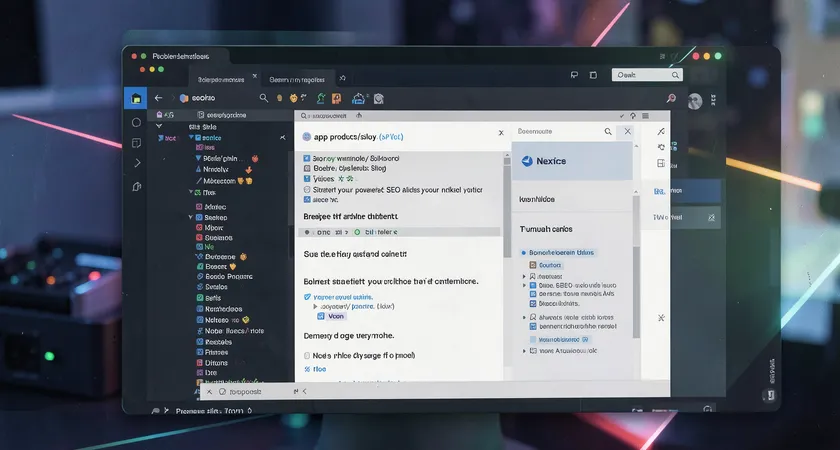 /page.tsx` open. The code highlights a function calling an external API, with strategic comments about caching and error handling. The screen glows with a soft blue light in a dim room.]
Structuring prompts and managing content schemas at scale
Passing a simple instruction like "Write a blog post about SEO" to an API will yield a generic, often unusable result. The power of a content engine integration lies in systematic, structured prompting. This is where you encode your brand voice, SEO keywords, and content guidelines into reusable templates.
Instead of hardcoding prompts, create a prompts module or a configuration object. For a product page generator, this object might include:
- The target keyword and semantic field terms.
- The product's core features and specifications as bullet points.
- A tone of voice reference (e.g., "professional yet approachable, for CTOs").
- The desired content structure (e.g., "H1: product name, followed by a 150-word introductory paragraph, then three H2 sections covering use cases, technical specs, and integration benefits").
This prompt object is then stringified and passed as the main payload to the content engine's API. The response should be requested in a structured format like JSON, allowing you to easily map the returned headings, paragraphs, and meta description directly into your React components or Astro slots. This turns the API from a black-box text generator into a predictable content assembly line.
Validating output and implementing quality gates
What happens when the API returns a paragraph that mentions a competitor, or uses a tone that veers off-brand? Relying on manual review for hundreds of auto-generated pages defeats the purpose of automation. Therefore, a validation layer is a critical part of the integration.
This can be a lightweight middleware function that runs after the API responds but before the content is committed to the page or cache. Checks might include scanning for forbidden terms, ensuring keyword placement, verifying the approximate word count, and using a secondary sentiment analysis API to gauge tone. If the content fails validation, the system can be configured to retry the generation with adjusted parameters, flag the item for human review, or fall back to a predefined default copy.
In practice, teams that skip this step spend more time debugging and editing content than they saved by automating its creation. The validation gate is what separates a prototype from a production system.

Synchronizing generated content with your SEO and build workflows
An article isn't done when it's written. It needs a URL slug, meta tags, Open Graph images, and an entry in your sitemap. A sophisticated integration ensures the content engine doesn't operate in a vacuum. The prompt for a new blog post, for instance, should also generate a URL-safe slug based on the title. This slug must then be passed to your framework's routing system and to your sitemap generator.
In a Jamstack context, this often means triggering a rebuild. When new content is generated and validated, your system should ideally commit the new data (or a reference to it) to your data source, whether it's a headless CMS, a JSON file, or a database. This commit then triggers a webhook that tells your deployment platform (Vercel, Netlify, etc.) to initiate a new build, regenerating the static pages with the fresh content and updating the sitemap.
The alternative, common in simpler setups, is a scheduled rebuild. A cron job might run nightly, calling your content generation endpoints for pages marked for update, then triggering a site rebuild. This approach trades immediacy for predictability and can reduce API costs.
The synchronization challenge highlights a key point: the content engine is just one node in a larger content supply chain. Its output must flow smoothly into the rest of your publishing machinery.
Identifying and navigating common integration pitfalls
After several client audits of such integrations, a pattern of recurring issues emerges. The most frequent is latency and timeout cascades. A page that makes multiple synchronous calls to a content API during rendering will see its Time to First Byte (TTFB) skyrocket, damaging user experience and SEO. The fix involves moving to asynchronous generation, aggressive caching, or using placeholder content while generation completes in the background.
Another pitfall is the context window limit and cost control. Content engines typically charge by token (word fragment). A poorly designed prompt that includes excessive background data can become expensive at scale. Implement logic to trim input context intelligently and monitor your token usage through the API's dashboard or webhooks to avoid surprise invoices.
Stylistic inconsistency is a subtler issue. Even with detailed prompts, the AI's output can drift over time or vary between slightly different prompts. Without a mechanism to enforce style, be it through fine-tuning the engine on your best copy or implementing a robust post-generation style checker, your site can end up with a patchwork of voices that feels unprofessional.
Finally, there's the maintenance burden. APIs evolve, prompts need tuning as the AI models update, and validation rules must be adjusted based on content performance. This ongoing work is often underestimated in the initial integration plan.

When a DIY integration needs specialist reinforcement
The technical integration, sending a POST request and handling the response, is within the capability of most development teams. The challenges arise in the layers above and below that simple transaction. The "below" layer is the deep, nuanced understanding of SEO content strategy. An API can write text, but it takes expertise to craft the prompt strategy that ensures that text ranks for the right queries, covers topic depth, and builds semantic relevance. This is where the gap between a functioning API connection and a high-ROI content pipeline becomes apparent.
The "above" layer is systems design and ongoing optimization. Designing the fault-tolerant pipeline, the caching strategy, the regeneration triggers, the multi-stage validation, and the performance monitoring dashboard is a significant project. For a marketing site, this might be a worthwhile internal investment. For a platform where content is the core product, the complexity multiplies.
Teams often reach a tipping point. The initial proof-of-concept works, but scaling it reveals edge cases: legal review requirements for regulated industries, multi-language generation with locale-specific nuances, or complex A/B testing of different content variants. Managing these complexities while also maintaining the core web application can stretch a team thin.
This is the natural juncture where partnering with a provider that specializes in content engine integrations becomes a rational consideration. The value isn't in writing the initial API glue code; it's in providing the battle-tested prompt libraries, the built-in validation and compliance layers, the operational dashboards, and the strategic guidance that transforms an API call into a reliable, scalable, and effective content utility. It shifts the burden from building and maintaining a custom infrastructure to consuming a managed service that evolves with the technology.

The integration of a content engine like Beatrice with modern web frameworks is fundamentally an engineering challenge with a strong strategic component. Success starts with solid technical patterns: treating generated content as a build-time asset where possible, structuring prompts as data, and implementing validation gates. It requires careful synchronization with your SEO and deployment workflows to ensure content reaches search engines effectively.
The deeper work lies in navigating the operational realities, controlling latency and costs, maintaining consistency, and evolving the system. For many organizations, the initial DIY integration serves as a powerful learning tool, clarifying their precise needs and the true complexity of production-scale content automation. The logical next step is to evaluate whether the ongoing investment in building and maintaining this proprietary pipeline is the best use of internal engineering talent, or if leveraging specialized external expertise would accelerate outcomes and free the team to focus on core product innovation.
The tools and APIs are now accessible. The strategic advantage will go to teams that implement them not just as code, but as a coherent, measurable, and scalable part of their content ecosystem.