 Beatrice
You've launched a sleek, fast headless website. Your content team publishes via a headless CMS, your developers love the clean separation, and initial engagement metrics look promising. Yet, six months later, a senior stakeholder asks which article series is driving qualified leads, or which topic pillar has improved domain authority, and you find yourself stitching together screenshots from three different tools. Tracking content performance in a headless setup isn't about looking at basic pageviews. It's about reconstructing a coherent story from data that now flows through separate, often siloed, systems.
The fundamental challenge is fragmentation. In a traditional monolithic platform, your CMS, website, and analytics often share a common context. In a headless architecture, your content repository, your front-end application, and your analytics platform are decoupled. This decoupling offers tremendous flexibility but introduces gaps in your measurement chain. Success requires a deliberate strategy to instrument your front-end, connect to your back-end data, and define metrics that reflect true business outcomes, not just vanity numbers. This guide provides the concrete steps and architectural considerations to build that strategy, whether you use Contentful, Sanity, Strapi, or a custom solution.
Why traditional analytics fall short on a headless site
Imagine deploying a new interactive component, like a product configurator, on a subset of your pages. In a coupled system, you could segment traffic to those pages directly in your analytics. In a headless setup, your analytics script might be blind to whether the component even loaded successfully or which content model it was associated with. The core issue is context loss. Standard analytics tools like Google Analytics 4 are excellent at tracking client-side events on the rendered page. However, they lack native understanding of your headless CMS's content structure, workflow states, or editorial metadata.
A common pitfall is relying solely on URL-based tracking. While you can track '/blog/my-article', that URL path tells you nothing about the content's author, its publication stage, the tags applied in the CMS, or its target audience segment defined in your content model. When content is reused across multiple channels (web app, mobile app, digital signage), a single URL might not even exist. The data you need to answer questions like 'Do long-form guides from our subject matter experts outperform curated lists from freelancers?' sits in your CMS, not your analytics. Without connecting these dots, your performance reports are based on incomplete data.
Another limitation is the handling of dynamic, single-page application (SPA) behavior. Many headless front-ends are SPAs built with React, Vue, or similar frameworks. Page transitions happen without full browser reloads, which can break traditional pageview tracking. If your analytics setup isn't configured for SPA history changes, you might see a single, excessively long user session instead of granular engagement per article. This skews bounce rates, time-on-page, and conversion attribution.

The critical data gap: editorial intent vs. user behavior
Your content team plans with intent. They create a series of articles to support a product launch, tag content for different buyer personas, or schedule updates based on seasonal trends. This editorial intent is captured in the CMS through custom fields, taxonomies, and workflow states. Most analytics platforms have no way to ingest this metadata automatically. Consequently, you can see that 'Page X' got 10,000 views, but you cannot easily filter that performance to show all content tagged 'Product-Launch-2024' or created in the 'Enterprise' content model. Bridging this gap is the first step toward meaningful measurement.
Building the connection: CMS data to analytics
The solution is to establish a pipeline that pushes relevant CMS metadata onto every user interaction you track. This doesn't require a massive data engineering project. It starts with a systematic audit of your content model. List every field and taxonomy that could be relevant for performance analysis. Common candidates include content type, author ID, topic category, target persona, product association, and content stage. The goal is to decide which pieces of metadata are crucial for your reporting and feasible to attach to analytics events.
Technically, you have two main implementation paths. The first is front-end injection. When your application fetches content from the headless CMS API, it receives a JSON object containing both the content and its metadata. Your developers can write logic to attach this metadata as parameters when sending events to your analytics tool. For example, when a user views an article, the event sent to Google Analytics 4 would include custom parameters like content_author, content_topic, and content_model. This makes the CMS context available for segmentation and analysis within your analytics interface.
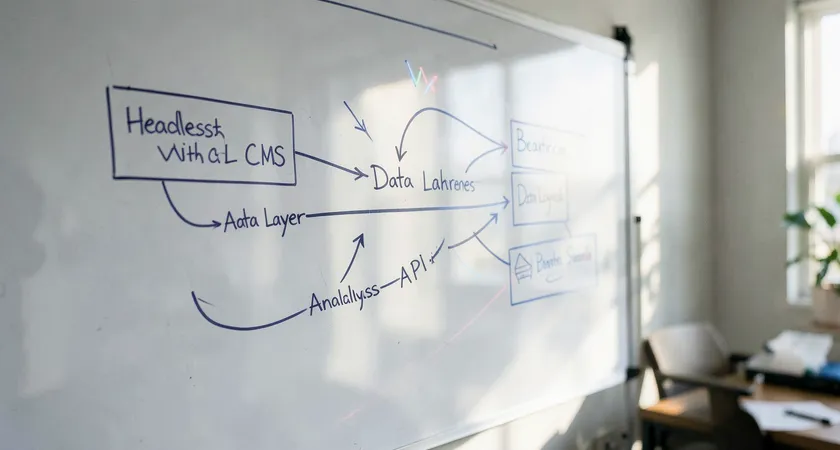
The second path is back-end integration, often more robust for complex setups. This involves configuring your headless CMS to send webhook notifications to a middleware service or directly to a data warehouse when content is published or updated. This service can then correlate CMS events with analytics sessions server-side. This approach is less prone to client-side errors and can track events even if the user has ad-blockers, but it requires more initial development. The choice between front-end and back-end methods often depends on your team's resources and the complexity of your tracking needs.
Defining KPIs that matter beyond pageviews
With the technical connection in place, you can move beyond surface-level metrics. Pageviews and sessions are traffic indicators, but they don't measure content effectiveness. In a headless environment, where content might be modular and reusable, you need KPIs that align with your business objectives. Start by categorizing your content goals. Is the purpose to generate leads, support self-service, reduce support tickets, or build topical authority for SEO? Each goal demands a different set of metrics.
For lead generation content, track micro-conversions. This could be form submissions, demo requests, or downloads gated by the content. Crucially, use your CMS metadata to see which content themes or authors are most effective at driving these actions. For support content, measure the 'self-service success rate'. This can be inferred by tracking user journeys that start on a help article and do not end on a contact form or live chat prompt within a certain timeframe. SEO-focused content requires tracking keyword rankings, organic traffic growth, and engagement metrics for those landing pages, again segmented by the topic or pillar defined in your CMS.
One powerful but often overlooked KPI is content velocity. In a headless setup, how quickly can you update and redeploy content in response to performance data? If you notice a top-performing article has an outdated screenshot, the time from identifying that need to having the updated live is your content velocity. This operational metric directly impacts your ability to iterate and optimize based on performance insights.
Creating a unified dashboard with APIs
No one wants to log into five different platforms to assess content health. The promise of a headless architecture is composability, and this applies to your data stack as well. Using APIs, you can build a central dashboard that pulls data from all relevant sources. Your headless CMS API can provide editorial data: publication dates, author information, and custom field values. Your analytics platform's API (like GA4 Data API or Mixpanel's API) can provide behavioral data: pageviews, engagement time, conversion events. Third-party APIs from SEO platforms or social media can fill in external performance data.
A practical first step is to use a data visualization tool like Google Looker Studio, Tableau, or Power BI that can connect to these APIs. You build a report that, for example, lists all articles published in the last quarter. Next to each title, columns display its organic traffic (from Google Analytics API), its average engagement time, the number of leads generated, and its topic category (pulled directly from the headless CMS API). This unified view is transformative. It allows your content strategist to instantly see that while 'Topic A' articles get more traffic, 'Topic B' articles actually drive more qualified leads.
For teams with more technical resources, building a custom internal dashboard or feeding this data into a business intelligence warehouse offers even greater flexibility. The key is to automate the data flow. Scheduled API calls or real-time webhooks can keep the dashboard updated without manual CSV exports. This automation turns your dashboard from a periodic reporting tool into a live content performance command center.

Automating alerts for performance anomalies
Dashboards are for active viewing, but critical insights can be missed. Building automated alerts on top of your data pipeline adds a proactive layer. Using simple logic, you can trigger notifications when significant events occur. For instance, if a high-traffic article experiences a sudden 50% drop in organic sessions, your team can be alerted via Slack or email to investigate a potential indexing issue or a competitor's new content. Similarly, an alert can celebrate success, like notifying an author when their newly published piece exceeds a certain engagement threshold within its first week. These alerts keep the team connected to content performance in real time.
Common pitfalls and how to avoid them
Even with a solid plan, teams encounter specific, recurring obstacles in headless tracking. The first is inconsistent tagging. If your editorial team uses free-form tags in the CMS instead of a controlled taxonomy, your data will be messy. The solution is to enforce the use of predefined categories or tags, often through validation rules in the CMS content model itself. Clean, structured data at the source is cheaper than trying to clean it later.
Second is the 'set and forget' configuration. APIs change, front-end frameworks update, and tracking scripts can break. We've seen projects where a site redesign inadvertently removed the data layer, leading to a month of lost performance data. Implement a regular audit cadence, perhaps quarterly, to validate that your tracking is firing correctly and that the data flowing into your dashboards remains accurate. A simple checklist verifying a sample of new content pages can prevent major data blackouts.
A more subtle pitfall is analysis paralysis. The ability to track countless dimensions can lead to creating reports that no one uses. Focus is vital. Start by defining the three to five most critical business questions your stakeholders need answered. Build your tracking and dashboards to answer those questions clearly and directly. It's better to have one actionable dashboard used weekly than a dozen sophisticated ones that are ignored.

When to consider external expertise
Implementing a full-fledged performance tracking system for a headless setup sits at the intersection of content strategy, data engineering, and front-end development. While a skilled in-house team can build the components, the integration often reveals hidden complexities. For example, ensuring user privacy compliance across a custom data pipeline requires careful handling of personally identifiable information. Mapping complex user journeys that span multiple content pieces and channels demands a nuanced understanding of both your business funnel and technical limitations.
Many teams find that initial DIY efforts hit a wall when trying to move from proof-of-concept to a reliable, maintained system. The ongoing maintenance, updates to accommodate new content types, and training for non-technical staff to use the dashboards become a significant drain. In practice, bringing in a partner who has navigated these challenges across multiple headless projects can accelerate the timeline and improve the outcome. They can help you avoid common architectural mistakes, recommend proven tools for your specific stack, and establish governance processes that keep your data trustworthy over the long term. The investment is often justified by the faster time to actionable insights and the reduction in internal developer hours spent on analytics plumbing.

Tracking content performance in a headless setup is fundamentally an exercise in reintegration. You deliberately decouple your front-end and back-end for agility, then you must deliberately recouple the data streams for insight. The process begins with auditing your content model for key metadata, technically connecting that metadata to your analytics events, and defining business-aligned KPIs. From there, leveraging APIs to build unified dashboards transforms scattered data points into a clear narrative of what's working.
The payoff is a content operation that is truly responsive. You can double down on topics that drive revenue, refine content formats that boost engagement, and empower authors with data on their impact. This level of insight turns content from a cost center into a measurable growth engine. Your next step is to schedule a technical discovery session with your development and content leads. Map out your current data flows from CMS to analytics, identify the single most important business question you cannot answer today, and design a small, focused project to close that gap first. This iterative approach builds momentum and delivers value at each stage.