 Beatrice
You've just reviewed a content audit for a client with over 2,000 blog posts. The recommendation is to create a new, targeted category to capture an emerging keyword cluster. The problem? Your CMS's category system is already a tangled mess of 15 top-level terms, dozens of overlapping tags, and a navigation sidebar that requires endless scrolling. The idea of adding another category feels less like a strategic move and more like adding another book to a collapsing shelf. To go deeper, you can also read Managing Categories in Content-Heavy Projects: Streamlining Organization for Scalable Success.
Managing categories in content-heavy projects is a core architectural challenge. Done poorly, it leads to thin content, keyword cannibalization, confusing user journeys, and editorial paralysis. Done well, it creates a scalable, intuitive framework that supports both SEO growth and a logical user experience. This process sits at the intersection of information architecture, content strategy, and technical SEO. To go deeper, you can also read Managing multiple subdomains in content scaling.
For web professionals overseeing large blogs, knowledge bases, or media libraries, this is a daily operational reality. This article provides a concrete framework for designing, implementing, and evolving your category structure. We'll move from foundational principles and planning to execution, common pitfalls, and the advanced challenges of scaling. You'll leave with actionable strategies to audit your current system and build a more resilient one.
Start with purpose, not a list of words
A common starting mistake is to brainstorm category names based on internal team jargon or a quick review of competitor sites. This creates a surface-level structure that collapses under its own weight. Instead, begin by defining the core purposes your category system must serve. These purposes typically fall into three distinct buckets.
First, consider the user's intent. Categories should act as a primary navigation tool, helping visitors efficiently find the content they seek and discover related material. A user landing on a "Home Office Setup" category expects a curated collection of articles on ergonomics, tech gear, and productivity, not a single review of a standing desk buried among unrelated posts.
Second, address SEO and site architecture needs. A well-defined category creates a strong thematic hub. It consolidates link equity, provides a clear path for crawlers to understand your site's topical depth, and offers a landing page you can optimize for mid-funnel keywords. The category page itself becomes a strategic asset.
Third, support your internal editorial and business goals. Categories should make content planning easier, not harder. They should help your team identify gaps in coverage, streamline the publishing workflow by providing clear homes for new content, and align with your product or service offerings. If your sales team talks about "compliance solutions," but your blog uses the category "legal stuff," you have a disconnect.

Designing a hierarchy that can actually scale
With purposes defined, you can now design the hierarchy. The goal is to create a clear, logical parent-child relationship between categories and their subcategories that feels intuitive to a first-time visitor. A flat list of 30 top-level categories fails. A deep nest where a user must click through five levels to find an article also fails.
A practical rule observed across many successful projects is the 7±2 principle for top-level navigation. While not a strict law, it reflects cognitive limits. Most users can comfortably scan and choose from 5 to 9 primary options. Your main site navigation or primary category menu should adhere to this. Everything else should be organized as a subcategory.
Subcategories allow for precise topical drilling. Under a top-level category like "Marketing," you might have "Email Marketing," "Social Media," and "Content Strategy." The key is exclusivity. Each piece of content should belong to one primary parent category. If an article fits perfectly under two top-level categories, it often indicates those categories are too broad or poorly defined. Subcategories can sometimes be shared if the hierarchy allows, but this adds complexity.
Consider the future from day one. Ask: if our content volume doubles, will this structure hold? A good test is to imagine adding new, adjacent topics. Under your "Software Reviews" category, will a future review of a new project management tool fit cleanly, or will it force you to create a messy new top-level category called "Productivity Tools"?
The hierarchy must be documented in a living schema, not just configured in the CMS. This document should list every category and subcategory, its purpose, its target audience, and 2-3 example pieces of content (or descriptions of future content). This becomes the single source of truth for editors, SEOs, and developers.
The role of tags versus categories
This is a frequent point of confusion that leads to bloated systems. Tags and categories are not interchangeable. A robust rule is to treat categories as the essential, structural taxonomy of your site, the table of contents. Tags are the non-essential, cross-cutting metadata, the index at the back of the book.
Tags describe specific attributes *within* a category. In a "Recipes" category, you might have tags for "gluten-free," "30-minutes," and "vegetarian." These tags allow users to filter a category's contents. Crucially, tags should not be promoted to the main navigation. They are for refinement, not primary discovery.
On the technical side, this distinction is critical for SEO. Category pages are typically canonical, indexable pages you optimize. Tag archive pages, especially those with low post counts, are often best set to `noindex` to prevent thin content from being indexed and diluting site authority. The decision depends on volume and substance, but the principle of separation guides the technical implementation.
Implementing and optimizing the technical framework
A beautifully designed category schema is useless if its technical implementation creates SEO problems or a poor user experience. This stage is where many DIY projects encounter hidden obstacles. The configuration within your CMS or headless platform dictates how search engines and users interact with your structure.
The first technical pillar is URL structure. A clear, consistent pattern is vital. Common patterns are `/category/subcategory/post-slug/` or `/blog/category/post-slug/`. Choose one and stick to it. Avoid query parameters or session IDs in category page URLs. Each category and subcategory should have a clean, keyword-informed slug (e.g., `/marketing/email-automation/`). This slug should be decided during the design phase and rarely changed.
Next, manage the indexation and canonicalization. Your main category pages should be indexable and have unique, optimized title tags and meta descriptions. You must decide how to handle pagination (`/page/2/`), using `rel="next/prev"` links or, better yet, implementing a "View All" or load-more functionality to keep link equity consolidated. For tag archives, a deliberate `noindex` policy is common unless they contain substantial, unique content.

Internal linking is the circulatory system of your category structure. A well-implemented system automatically generates contextual links. When an article is filed under "Cybersecurity," a module on that article's page should suggest other articles in the same category. The category page itself should showcase a mix of newest, most popular, and cornerstone content. This automated, thematic linking strengthens the hub-and-spoke model that search engines reward.
Finally, consider performance. A category page pulling in hundreds of post previews with images can become slow. Lazy loading, pagination strategies, and efficient database queries are not just developer concerns; they directly impact user experience and Core Web Vitals, which are SEO ranking factors.
The ongoing work: auditing, pruning, and evolving
Launching a new category structure is a milestone, not the finish line. A static taxonomy for a growing content project is a dying one. Without maintenance, you will face category drift, content dilution, and the same mess you tried to fix. Proactive management requires a rhythm of audit and adaptation.
Conduct a quarterly lightweight audit. Export a report of all categories and subcategories, sorted by post count. Identify categories with very few posts (1-3). These are prime candidates for merging or deletion, as they create thin, weak hub pages. Look for categories with an excessively high post count (e.g., 500+). This might indicate a category is too broad and should be split into more specific subcategories.
Analyze user behavior data. Are certain categories receiving high traffic but have a high bounce rate? This could signal that the category title is misleading, or the content presented on the category landing page is weak. Are users using your site search to find topics that are buried deep in your subcategories? This might indicate a need to promote a subcategory or adjust your navigation.

Pruning is a necessary but delicate task. Deleting a category often means implementing 301 redirects from the old category URL to the most relevant new one. Merging two categories requires not just URL redirects but also a content review to ensure all posts are thematically aligned under the new parent. This work protects SEO equity and preserves user access.
Evolution is about strategic addition, not just cleanup. New products, market shifts, or emerging keyword opportunities may justify a new category. The existing schema document and the "future-proof" test you initially performed should guide this decision. Adding a category should be a deliberate, documented event, not an ad-hoc action by an editor looking for a place to file a one-off article.
When scaling exposes the limits of manual management
For a site with a few hundred pieces of content, a disciplined team can manage this process with spreadsheets, CMS tools, and monthly meetings. However, crossing certain thresholds, be it content volume, editorial team size, or site complexity, reveals the operational limits of manual or semi-automated category management.
One major pain point is consistency at scale. When you have 50+ contributors across different departments or regions, enforcing strict categorization rules becomes a constant battle. Without guardrails, you get duplicate categories ("HR" and "Human Resources"), overly specific tags promoted to categories, and content filed incorrectly, which silently erodes the architecture you built.
Another is the dynamic nature of SEO. Keyword trends and user intent evolve. A category that was perfect 18 months ago may now be too narrow or too broad to compete effectively. Manually reassigning hundreds of posts to a new category structure is a massive, error-prone undertaking that teams often defer until it becomes a crisis.
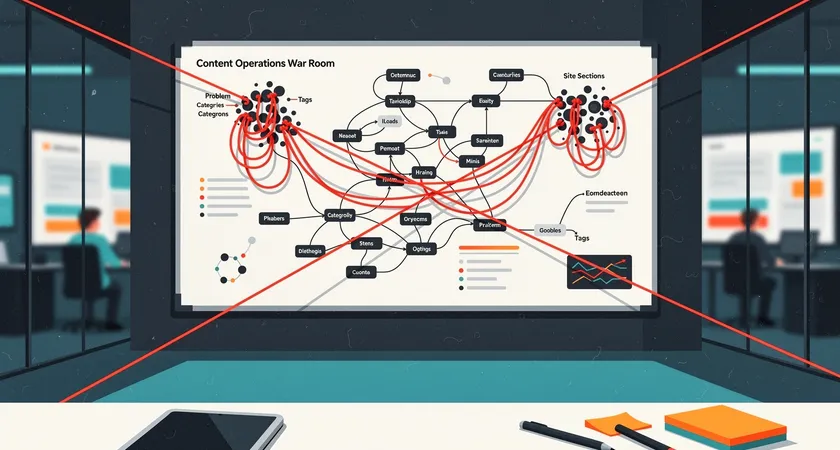
Furthermore, the integration points multiply. Your category taxonomy isn't just for your blog. It may need to sync with a product catalog, a help desk knowledge base, or a headless CMS feeding multiple frontends (web, app, syndication). Maintaining consistency across these platforms via manual entry is practically impossible. An API-driven approach, where a central taxonomy service dictates the structure to all downstream systems, becomes a technical necessity, not a luxury.
This is the point where the investment in a structured, automated system pays off. It moves category management from being a recurring tactical headache to a strategic asset. The work shifts from fixing past mistakes to proactively designing for future growth. For enterprises and fast-scaling digital properties, this transition from manual control to governed automation is often the difference between a coherent digital presence and a fragmented one.
The most effective category systems are those that are designed with intent, implemented with technical precision, and maintained with discipline. They are never finished, but they are always functional. They serve as a silent guide for users and a powerful signal to search engines, turning a collection of content into a navigable, authoritative resource. The initial effort to build it correctly saves immeasurable time and protects the SEO value you work hard to create.
Your next step is an honest audit. Map your current categories and subcategories, count the content in each, and analyze traffic and engagement. This diagnostic will show you where your structure is strong and where it's beginning to fray. From that clarity, you can plan your next move, whether it's a simple cleanup or a foundational redesign.